> For the complete documentation index, see [llms.txt](https://docs.primefi.xyz/llms.txt). Markdown versions of documentation pages are available by appending `.md` to page URLs; this page is available as [Markdown](https://docs.primefi.xyz/product/borrow/how-to-borrow.md).
# How to Borrow
Maximize the potential of your capital
{% hint style="danger" %}
Check [Market Status](/security/market-status.md) first. Borrowing is unavailable while a market is paused.
{% endhint %}
To borrow, you need sufficient enabled collateral and a reserve that currently permits borrowing and has available liquidity. Not every listed or supplied asset is necessarily borrow-enabled.
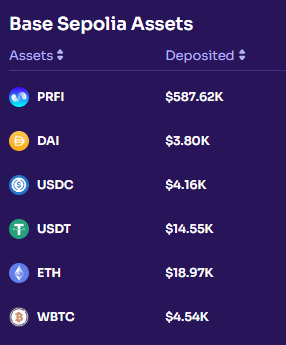
After securing collateral, navigate to the Markets section to assess borrowing availability and yields.
Select the specific asset you intend to borrow. Access the Reserve Status & Configuration screen and click on the borrow option.
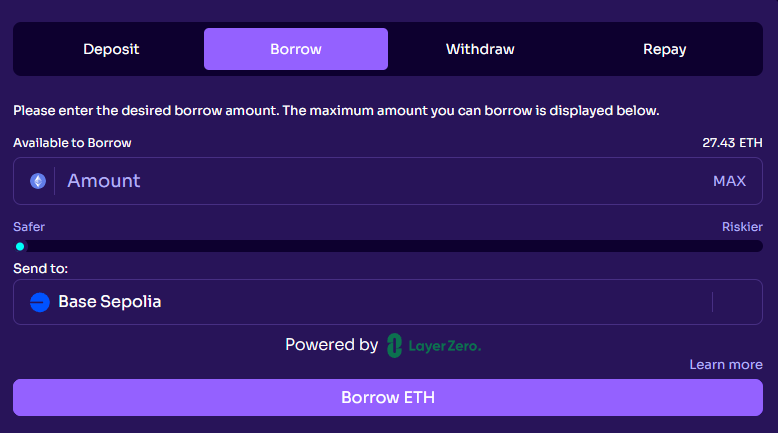
In the provided illustration, 27.43 ETH is available for borrowing (calculated from the deposited collateral) against the supported assets.
Specify the desired borrowing amount based on your available collateral balance, and proceed to confirm the transaction. It's important to note that the extent of your borrowing has a proportional impact on your overall Health Factor \[details elaborated below].
Whenever you borrow, it’s important to understand the risks associated with your collateral and market volatility. On our Dashboard, you will find information about your positions and Health Factor status.
Additionally, be aware that borrowing incurs interest (APY) on the borrowed asset.